

Fish Tasks API Integration and Usage
The main function of the Fish Tasks API is to query the execution status of a task by entering the task ID generated by the Fish Audios Generation API.
This document will introduce the integration instructions for the Fish Tasks API in detail, helping you easily integrate and fully leverage the powerful capabilities of this API. Through the Fish Tasks API, you can easily query the task execution status of the Fish Audios Generation API.
¶ Application Process
To use the Fish Audios Generation API, first go to the 语钧AI Console to obtain your API Token and keep it for later use.

If you have not yet logged in or registered, you will be automatically redirected to the login page to register and log in. After completion, you will automatically return to the current page.
One API Token can call all platform services, with no need to apply separately for each service. The first application will receive free credits for a free trial; when credits are insufficient, you can top up the general balance in the Console.
📘 Full documentation: Fish Audios Generation API →
¶ Request Example
The Fish Tasks API can be used to query the results of the Fish Audios Generation API. For how to use the Fish Audios Generation API, please refer to the documentation Fish Videos Generation API .
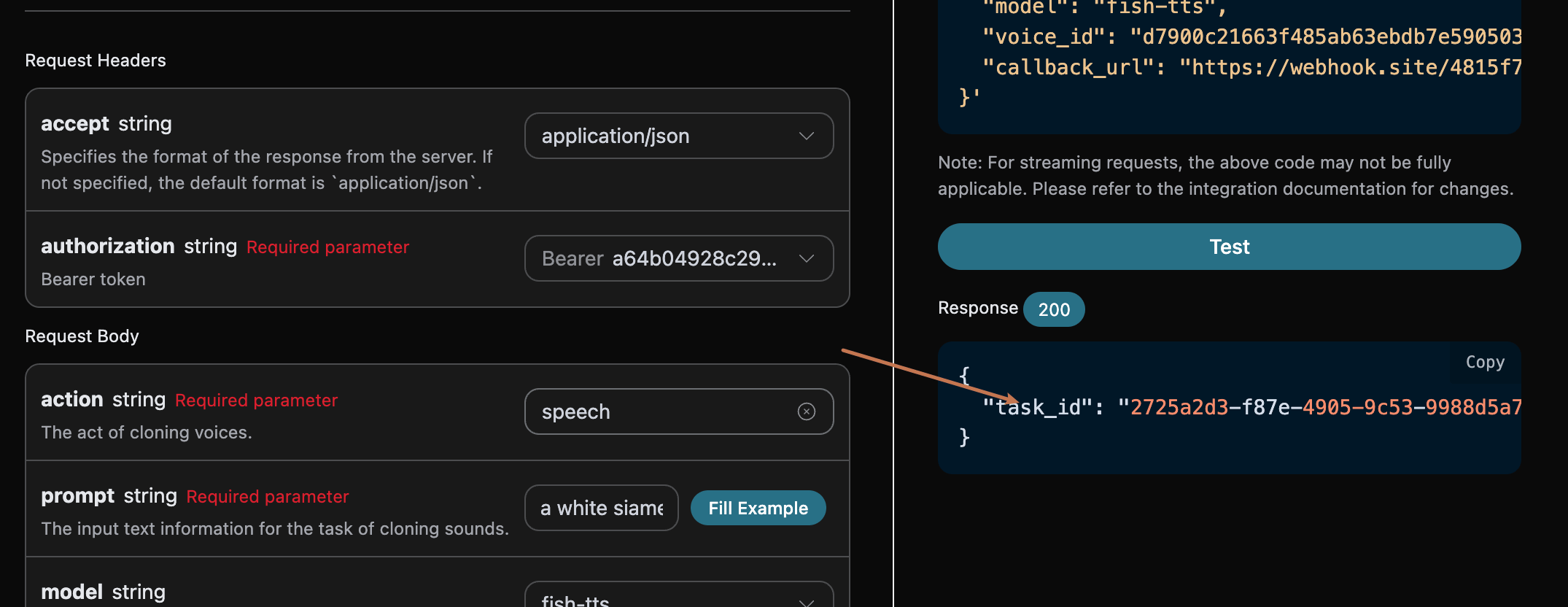
We take one task ID returned by the Fish Audios Generation API service as an example to demonstrate how to use this API. Assume we have a task ID: 2725a2d3-f87e-4905-9c53-9988d5a7b2f5, next we demonstrate how to by passing in a task ID.
¶ Task Example Image
¶ Set Request Headers and Request Body
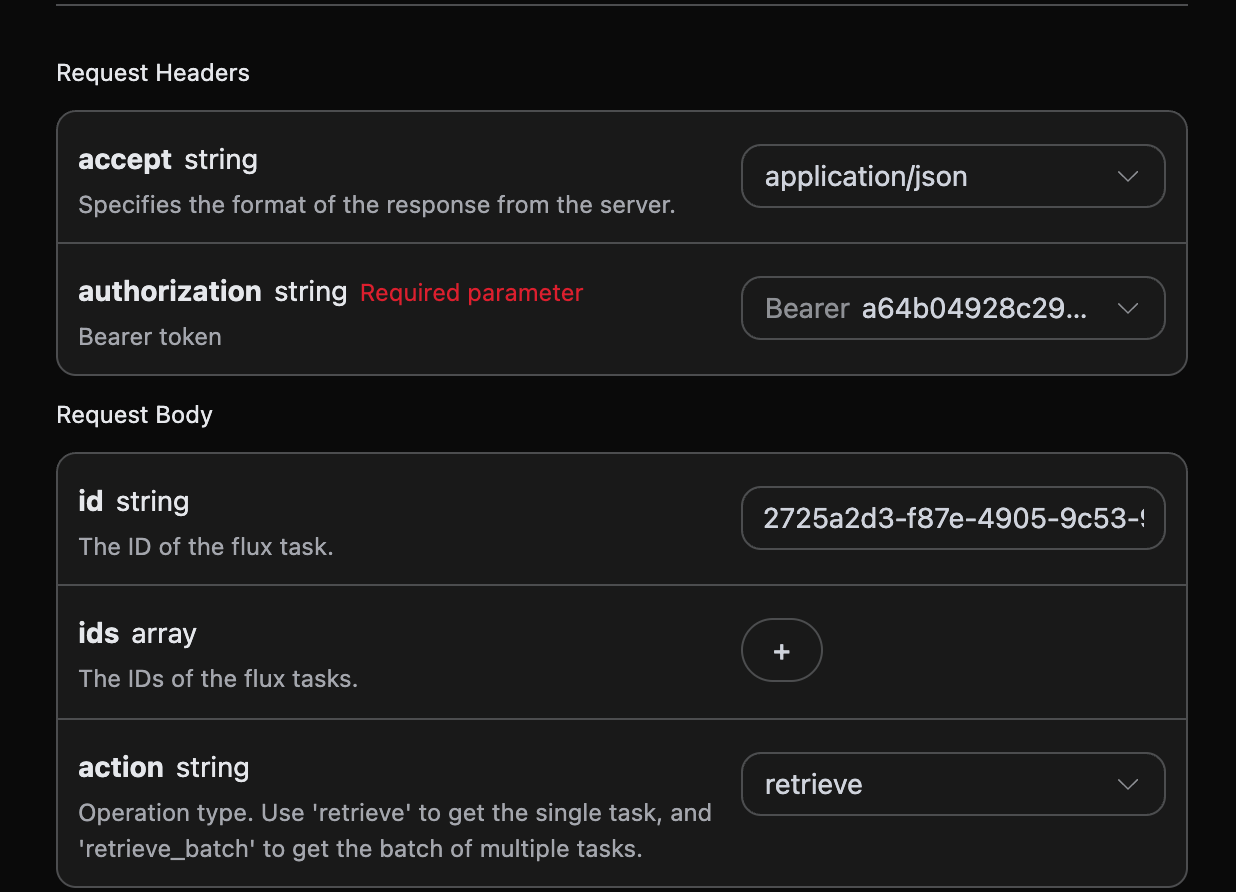
Request Headers include:
accept: Specifies receiving response results in JSON format, filled in here asapplication/json.authorization: The key for calling the API, which can be directly selected from the dropdown after application.
Request Body includes:
id: The uploaded task ID.action: The operation method for the task.
Set as shown in the figure below:
¶ Code Example
It can be found that code in various languages has already been automatically generated on the right side of the page, as shown in the figure:
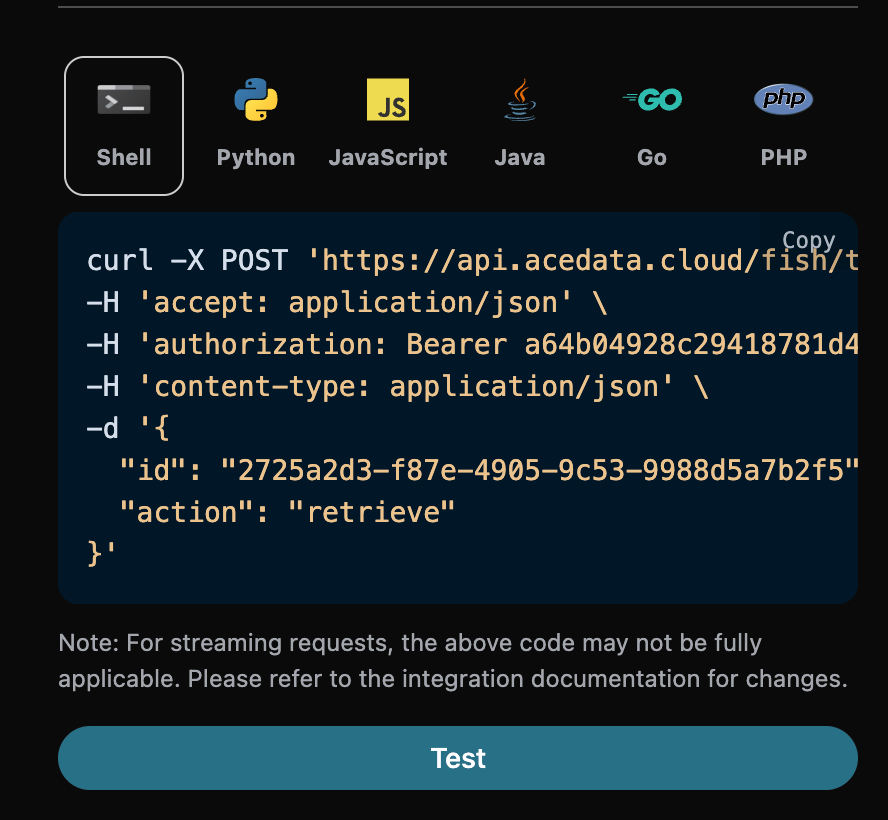
Some code examples are as follows:
¶ CURL
curl -X POST 'https://api2.yujuntc.fun/fish/tasks' \
-H 'accept: application/json' \
-H 'authorization: Bearer {token}' \
-H 'content-type: application/json' \
-d '{
  "id": "2725a2d3-f87e-4905-9c53-9988d5a7b2f5",
  "action": "retrieve"
}'
¶ Response Example
After the request succeeds, the API will return detailed information about the task here. For example:
{
  "_id": "68cfad98550a4144a5476a92",
  "id": "2725a2d3-f87e-4905-9c53-9988d5a7b2f5",
  "api_id": "8e6f8083-4683-45fe-a993-3e1d993fc999",
  "application_id": "3559d836-2505-46be-96ea-ea72bcb7c080",
  "created_at": 1758440856.34,
  "started_at": 1758440856.4,
  "finished_at": 1758440869.2,
  "elapsed": 12.8,
  "credential_id": "881ad87d-8ba7-40b7-ac45-d19e41ae6e3a",
  "request": {
    "action": "speech",
    "prompt": "a white siamese cat",
    "model": "fish-tts",
    "voice_id": "d7900c21663f485ab63ebdb7e5905036",
    "callback_url": "https://webhook.site/4815f79f-a40f-4078-ac85-1cc126b6bb34"
  },
  "trace_id": "e2d308bc-4df8-4c69-9369-a60f3c54f2b3",
  "type": "audios",
  "user_id": "ad7afe47-cea9-4cda-980f-2ad8810e51cf",
  "response": {
    "success": true,
    "task_id": "2725a2d3-f87e-4905-9c53-9988d5a7b2f5",
    "trace_id": "e2d308bc-4df8-4c69-9369-a60f3c54f2b3",
    "data": [
      {
        "audio_url": "https://cdn.acedata.cloud/assets/examples/fish/5ade0339-5f11-487e-aacc-06a908271706-8e3fcb0e5547.mp3"
      }
    ]
  }
}
There are multiple fields in the returned result. The request field is the request body when initiating the task, while the response field is the response body returned after the task is completed. The field descriptions are as follows.
id, the ID that generated this task, used to uniquely identify this generation task.request, request information in the query task.response, returned information in the query task; when finally successful, thecost.amountwithin it is the Credits actually deducted for this synthesis.created_at, task creation time, Unix timestamp (seconds, floating point).started_at, task execution start time, Unix timestamp (seconds, floating point).finished_at, task completion time, Unix timestamp (seconds, floating point). This field is not returned when the task is not completed.elapsed, task execution duration, in seconds (floating point, retained to 3 decimal places). This field is not returned when the task is not completed.
¶ Batch Query Operation
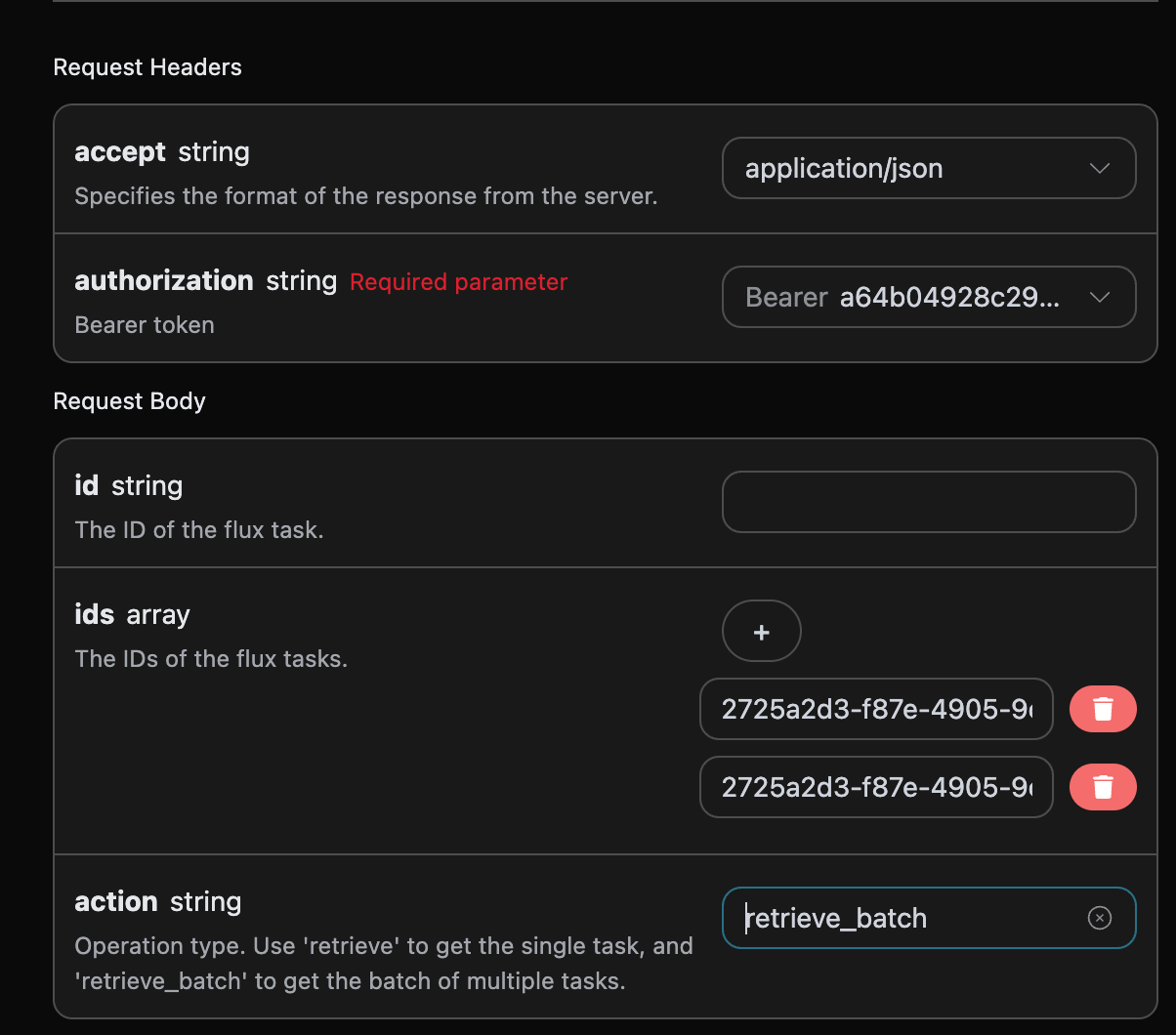
This is for querying task details for multiple task IDs. Unlike the above, you need to select the action as retrieve_batch
Request Body includes:
ids: Array of uploaded task IDs.action: The operation method for the task.
Set as shown in the figure below:
¶ Code Example
It can be found that code in various languages has already been automatically generated on the right side of the page, as shown in the figure:
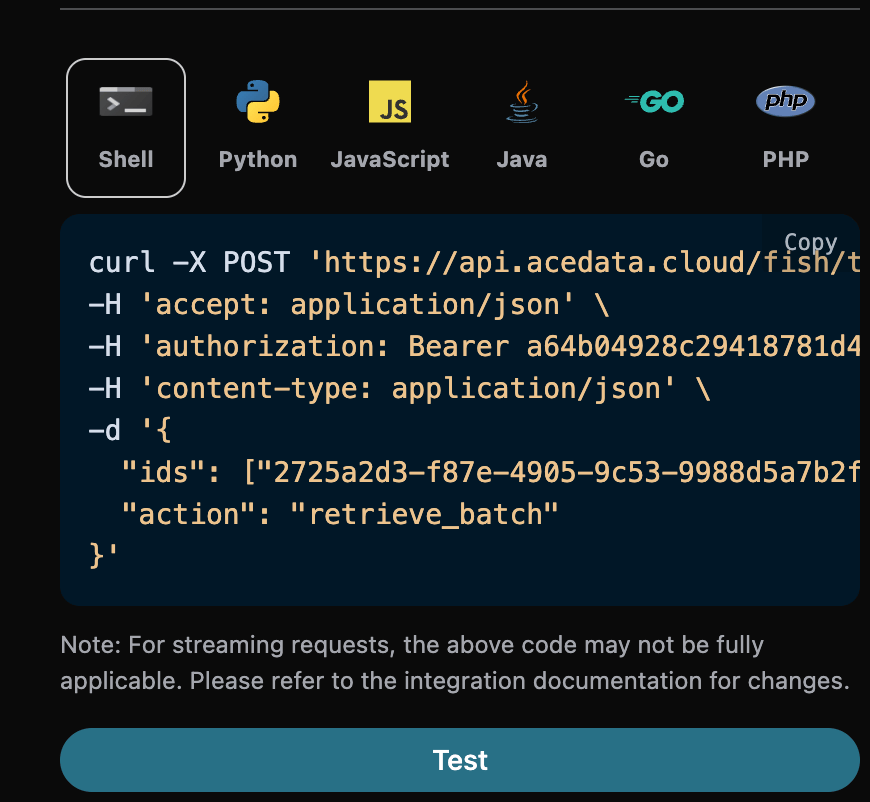
Some code examples are as follows:
¶ Response Example
After the request succeeds, the API will return specific detailed information about all batch tasks this time. For example:
{
  "items": [
    {
      "_id": "68cfad98550a4144a5476a92",
      "id": "2725a2d3-f87e-4905-9c53-9988d5a7b2f5",
      "api_id": "8e6f8083-4683-45fe-a993-3e1d993fc999",
      "application_id": "3559d836-2505-46be-96ea-ea72bcb7c080",
      "created_at": 1758440856.34,
      "started_at": 1758440856.4,
      "finished_at": 1758440869.2,
      "elapsed": 12.8,
      "credential_id": "881ad87d-8ba7-40b7-ac45-d19e41ae6e3a",
      "request": {
        "action": "speech",
        "prompt": "a white siamese cat",
        "model": "fish-tts",
        "voice_id": "d7900c21663f485ab63ebdb7e5905036",
        "callback_url": "https://webhook.site/4815f79f-a40f-4078-ac85-1cc126b6bb34"
      },
      "trace_id": "e2d308bc-4df8-4c69-9369-a60f3c54f2b3",
      "type": "audios",
      "user_id": "ad7afe47-cea9-4cda-980f-2ad8810e51cf",
      "response": {
        "success": true,
        "task_id": "2725a2d3-f87e-4905-9c53-9988d5a7b2f5",
        "trace_id": "e2d308bc-4df8-4c69-9369-a60f3c54f2b3",
        "data": [
          {
            "audio_url": "https://cdn.acedata.cloud/assets/examples/fish/5ade0339-5f11-487e-aacc-06a908271706-8e3fcb0e5547.mp3"
          }
        ]
      }
    },
    {
      "_id": "68cfad98550a4144a5476a92",
      "id": "2725a2d3-f87e-4905-9c53-9988d5a7b2f5",
      "api_id": "8e6f8083-4683-45fe-a993-3e1d993fc999",
      "application_id": "3559d836-2505-46be-96ea-ea72bcb7c080",
      "created_at": 1758440856.34,
      "started_at": 1758440856.4,
      "finished_at": 1758440869.2,
      "elapsed": 12.8,
      "credential_id": "881ad87d-8ba7-40b7-ac45-d19e41ae6e3a",
      "request": {
        "action": "speech",
        "prompt": "a white siamese cat",
        "model": "fish-tts",
        "voice_id": "d7900c21663f485ab63ebdb7e5905036",
        "callback_url": "https://webhook.site/4815f79f-a40f-4078-ac85-1cc126b6bb34"
      },
      "trace_id": "e2d308bc-4df8-4c69-9369-a60f3c54f2b3",
      "type": "audios",
      "user_id": "ad7afe47-cea9-4cda-980f-2ad8810e51cf",
      "response": {
        "success": true,
        "task_id": "2725a2d3-f87e-4905-9c53-9988d5a7b2f5",
        "trace_id": "e2d308bc-4df8-4c69-9369-a60f3c54f2b3",
        "data": [
          {
            "audio_url": "https://cdn.acedata.cloud/assets/examples/fish/5ade0339-5f11-487e-aacc-06a908271706-8e3fcb0e5547.mp3"
          }
        ]
      }
    }
  ],
  "count": 2
}
The returned result contains multiple fields, where items includes the specific detailed information of batch tasks. The specific information of each task is the same as the fields above. The field information is as follows.
items, all specific detailed information of batch tasks. It is an array, and each element in the array has the same format as the returned result for querying a single task above.count, the number of tasks queried in this batch.
¶ CURL
curl -X POST 'https://api2.yujuntc.fun/fish/tasks' \
-H 'accept: application/json' \
-H 'authorization: Bearer {token}' \
-H 'content-type: application/json' \
-d '{
  "ids": ["2725a2d3-f87e-4905-9c53-9988d5a7b2f5","2725a2d3-f87e-4905-9c53-9988d5a7b2f5"],
  "action": "retrieve_batch"
}'
¶ Error Handling
When calling the API, if an error is encountered, the API will return the corresponding error code and information. For example:
400 token_mismatched: Bad request, possibly due to missing or invalid parameters.400 api_not_implemented: Bad request, possibly due to missing or invalid parameters.401 invalid_token: Unauthorized, invalid or missing authorization token.429 too_many_requests: Too many requests, you have exceeded the rate limit.500 api_error: Internal server error, something went wrong on the server.
¶ Error Response Example
{
  "success": false,
  "error": {
    "code": "api_error",
    "message": "fetch failed"
  },
  "trace_id": "2cf86e86-22a4-46e1-ac2f-032c0f2a4e89"
}
¶ Conclusion
Through this document, you have learned how to use the Fish Tasks API to query all specific detailed information of a single or batch task. We hope this document can help you better integrate and use this API. If you have any questions, please feel free to contact our technical support team.