

Customer Attribution, Price Increase, and Distribution Revenue
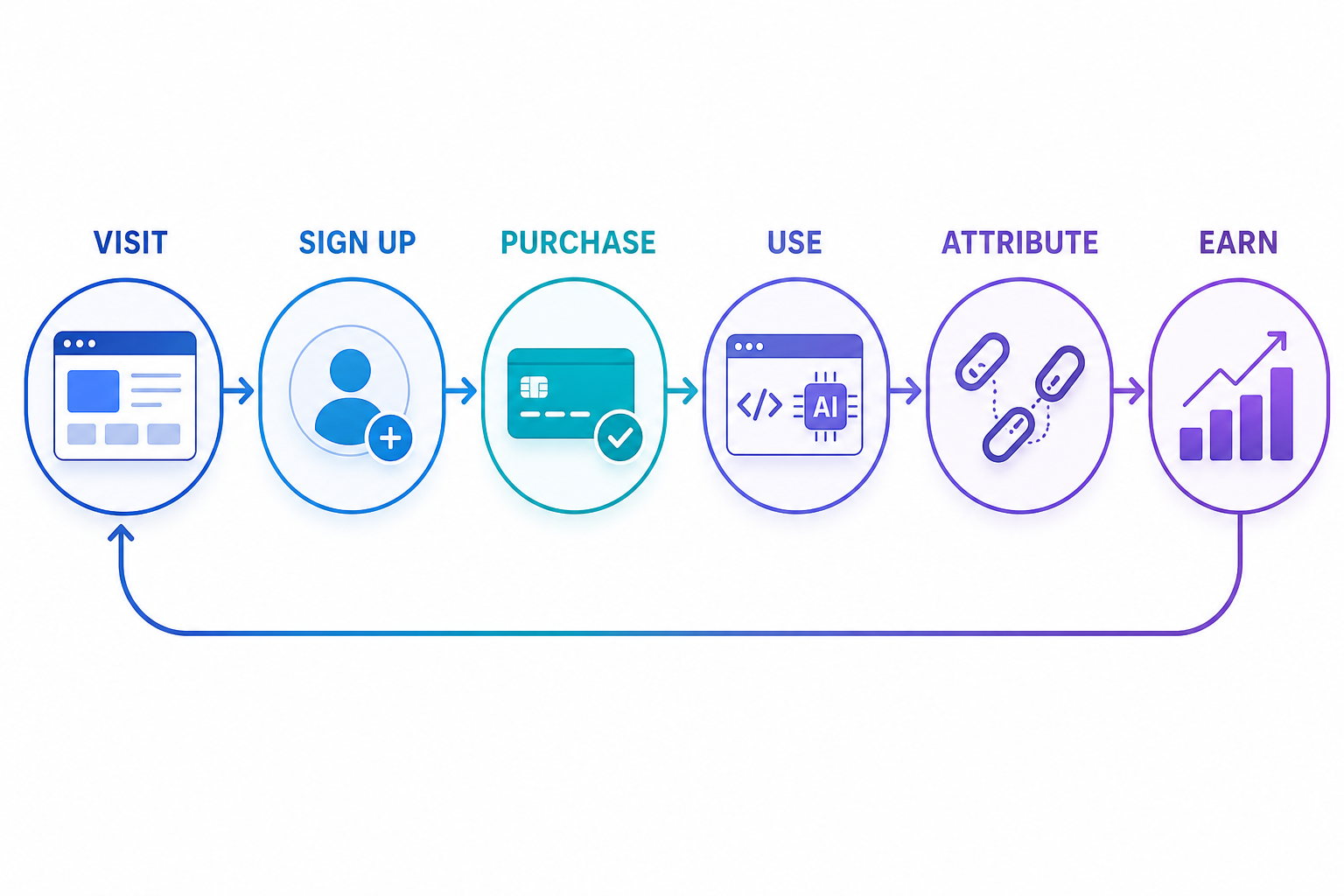
Whether a white-label site can generate revenue depends not only on the page looking like yours but also on whether new customer registrations are correctly attributed to you and whether transaction records enter a unified distribution settlement.
¶ Completion Effect
A test customer who has never registered before enters through Zhishuyun, appears in your customer or distribution records after registration; after completing a small purchase and use, the transaction amount, quota, and revenue records can be cross-verified.
¶ Preparation Before Starting
- An email or phone number that has never registered with YuJun;
- A completed official domain for Studio or API Platform;
- A default price increase has been determined, in this case, 10%;
- Acknowledgment that test orders may incur real costs;
- Do not use an existing account to test "first attribution."
¶ Step 1: Check Default Attribution
¶ Studio
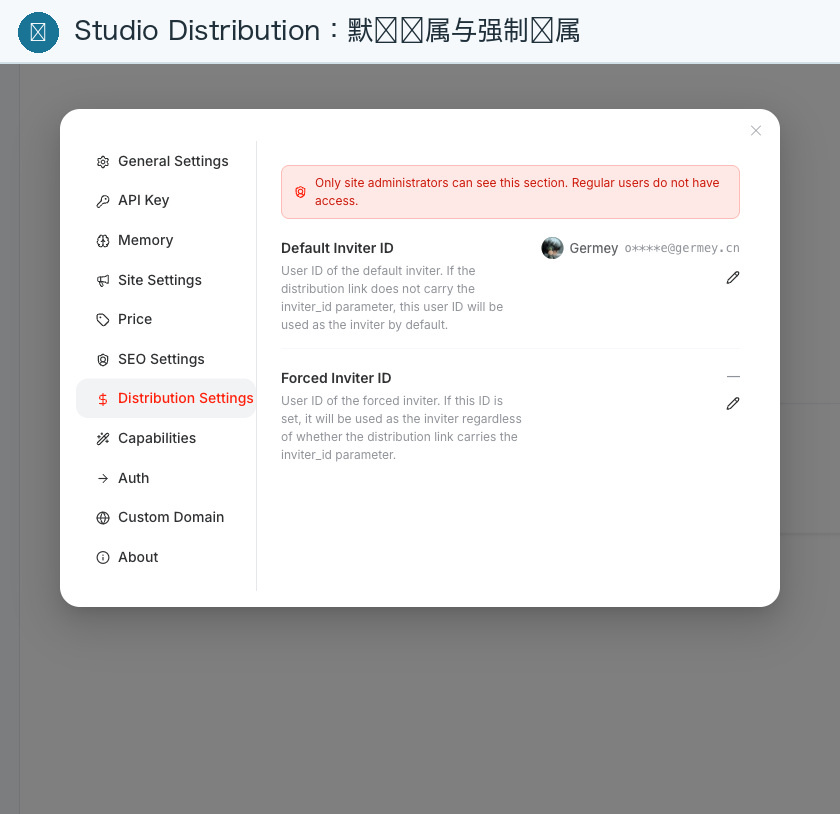
- Log in to the main Studio site and open sub-site settings;
- Go to Distribution;
- Check if the default inviter is your site owner account;
- If forced inviter support is enabled, understand its impact before turning it on;
- Save and record the configuration time.
¶ API Platform
Enter the advanced or distribution configuration of the Site, and confirm that the default inviter belongs to your site owner account. Do not casually copy the inviter ID from another Site.
¶ Step 2: Register with a Brand New Customer
- Open a new incognito window;
- Enter from
studio.zhishuyun.comorplatform.zhishuyun.com; - Complete the registration;
- Record the entry domain name, account, and exact time;
- Log in to the site owner's customer/distribution backend;
- Search for the test customer.
Attribution is usually determined at the time of first registration. Accounts that have already registered cannot reliably verify the default attribution of new customers.
¶ Step 3: Complete a Small Transaction and Use
- Have the test customer purchase the minimum available package or recharge;
- Record the actual payment amount from the customer;
- Execute a low-cost Studio or API request;
- Cross-check the customer's quota changes and usage records;
- Cross-check the transaction amount and revenue records on the site owner's side.
¶ Step 4: Verify Calculation Criteria
Customer Transaction Amount = Platform Price × (1 + Site or Service Price Increase Ratio)
Site Owner Revenue = Compliant Customer Transaction Amount × Current Distribution Ratio
Service-specific price increases take precedence over the overall site default price increase. Actual settlements will also be affected by distribution levels, hierarchical relationships, refunds, order status, and risk control, so do not simply use the "difference between platform price and transaction price" to estimate site owner revenue.
¶ Step 5: Check Long-term Relationship
- Log out of the test customer;
- Log in again from Zhishuyun after some time;
- Complete a second low-cost use;
- Confirm that the customer attribution has not changed;
- Confirm that subsequent compliant consumption still falls under the same customer relationship.
¶ Success Indicators
- New customers appear in your customer or distribution backend;
- Registration entry, customer account, and attribution records can correspond;
- Customer transaction amounts include the correct price increase;
- Usage records are consistent with quota changes;
- Revenue is recorded according to current distribution rules;
- Secondary use does not lose existing attribution.
¶ Frequently Asked Questions
¶ New Customer Not Attributed to You
First, confirm whether the account has truly never registered, then check the default inviter and registration entry domain of the Site. Provide account identifiers, domain names, and times to support, but do not provide passwords or complete tokens.
¶ Transaction Price is Correct, but Revenue is Not the Price Increase Difference
This is a normal mechanism. Site owner revenue is calculated based on compliant transaction amounts multiplied by the current distribution ratio, not a full refund of the price increase difference.
¶ Order Payment Successful but Revenue Not Yet Appeared
Check whether the order has been completed, whether it is in a refund or risk control status, and wait for the settlement record to be written. The final valid order shall prevail.
¶ Next Article
Finally, read White-label Boundaries, Troubleshooting, and Daily Operations to turn acceptance into a fixed process after going live.